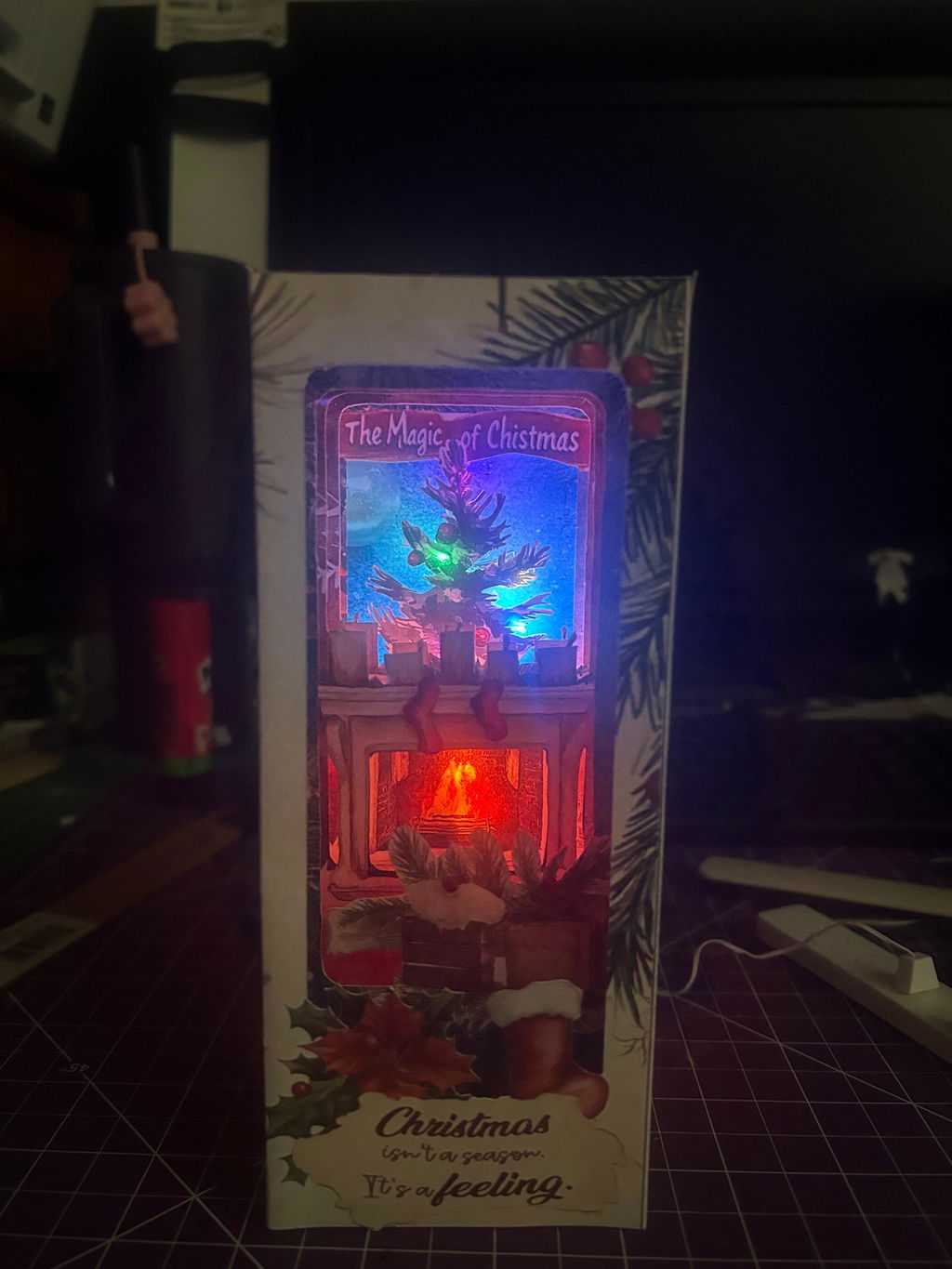
Christmas Home Book Nook Kit – 15 cm Tall Foldable Paper Diorama with LED Lighting
Instant Download, No Waiting Time
This is a digital file! The download link will be sent to you as soon as your payment is complete.
Cricut Cutting Machine Compatiable
This design is compatible with Cricut Cutting Machines. Read this post to learn how to upload the file to Cricut Design Space.
Download the file from the website to your computer. Some files may need to be unzipped, so please make sure your computer has unzipping software installed. If you get “file name is too long” when unzipping, simply rename the ZIP file to a shorter name (e.g. product.zip) and then extract it. Please visit: Unzip Guide
Please use a computer to print the file, and select the PDF file from the folder. Be sure to print using the high-quality setting. You can use Cricut Cutting Machine to print and cut this file. Visit this video to learn how to upload the PNGs to Cricit Design Studio. Printing from a mobile phone may cause the image to appear blurry or have missing parts. Please Visit: Printing Guide
.
Please follow the instruction video or step-by-step guide and take your time assembling your crafting template. Enjoy the process! Please Visit : Tutorial Videos
Craft an enchanting book nook scene with our Christmas Home Book Nook Kit. This foldable paper diorama stands 15 cm high and measures 6.5 cm wide by 6.5 cm deep. Included are cutting-machine-ready PDF and PNG templates optimized for Cricut, plus easy-to-follow assembly instructions and provisions for a small LED light insert to celebrate your Special Festival!
-------Assembly Instructions---
1. Print the PDF or PNG templates onto 170 gsm cardstock.
2. Cut out each piece—either with your Cricut (import the files) or by hand with scissors.
3. Score all fold lines (using a bone folder or the scoring tool on your cutting machine) for crisp, clean folds.
4. Fold along all scored lines, checking alignment as you go.
5. Glue tabs with a glue stick or double-sided tape, assembling the diorama walls, floor, and details.
6. Punch a small hole in the back or bottom of the assembled nook with a hole puncher on inside panel.
7. Insert a battery-powered LED fairy light through the hole and arrange it inside to highlight the train scene.
P.s - Source cardstock, glue, and fairy lights from Amazon or your favorite craft supplier.
8. Secure the cover and the bottom cover.
Product Specification
Required Tools
Computer/Laptop, Unzip Software, Printer, Cardstock Paper (170gsm), Scissors, Glue
Cancellation & Refund
Please contact our customer service: info@buildmyminiature.com